Getting Started with Jenkins

Passionate fresher seeking to build a career in Devops. Committed to learning and developing new skills to contribute to innovative solutions that drive success.
1. What is Jenkins
Jenkins is a popular open-source automation tool used for Continuous Integration (CI) and Continuous Delivery (CD) of software applications. In simpler terms, it's a software that helps developers automatically build, test, and deploy their code changes to production environments.
With Jenkins, developers can automate the process of testing and integration, allowing them to quickly detect and fix bugs or errors in their code. Jenkins can also automate the process of deploying code changes to production environments, making it easier to release new features and updates to end-users.
Overall, Jenkins helps developers streamline their development process and improve the quality of their software by automating repetitive tasks and reducing the risk of errors.
Create a freestyle pipeline to print "Hello World!"
Creating a job

Choose shell to execute the commands.

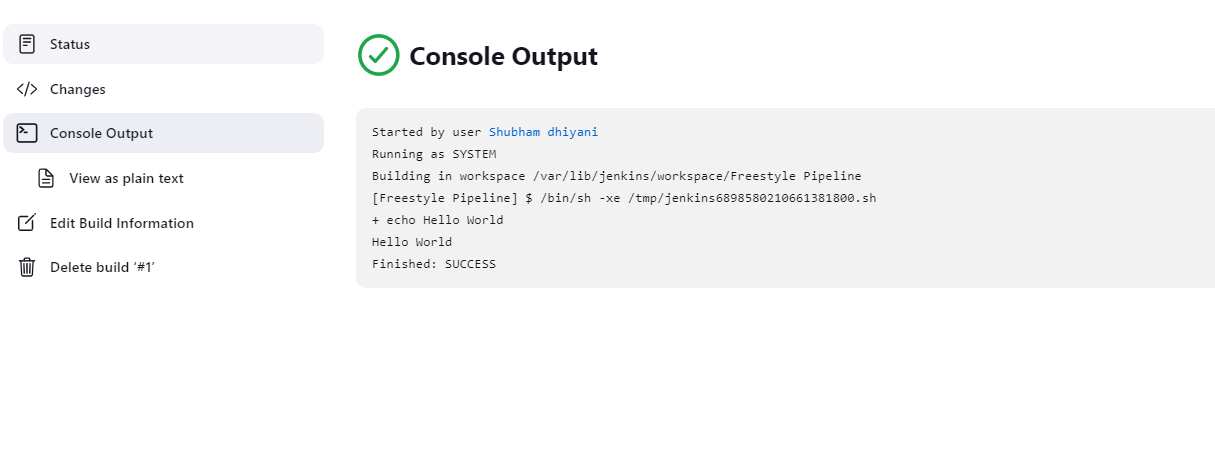
Output to print Hello World
THAT'S ALL FOR TODAY'S LEARNING I HOPE YOU LEARN SOMETHING FROM THIS BLOG